
Cortex, Day Three: Scripts You Can Trust Without Reading Them
Build 01, Lesson 03 — Linux CLI & bash scripting: setup.sh, seed.sh, and dev tooling for the repo Builds on: build-01-lesson-02. This lesson’s tag: build-01-lesson-03.
The Hook
By the end of this lesson, Cortex will have:
seed.sh— a script that populates sample documents matching Lesson 02’sDocumentshape, safe to run as many times as you want without duplicating anythingdoctor.sh— a dev-environment health check that tells you exactly what’s missing before you waste twenty minutes debugging a failure caused by a Python version mismatchA Python harness,
lesson_code.py, showing the other half of this lesson’s concept: how to call a script correctly, not just how to write one
Fast-Forward track: if set -euo pipefail and idempotent scripts are old news, skim The Concept and go straight to the exercise — the seed-data conventions established here matter more than the bash syntax itself.
Why This Matters
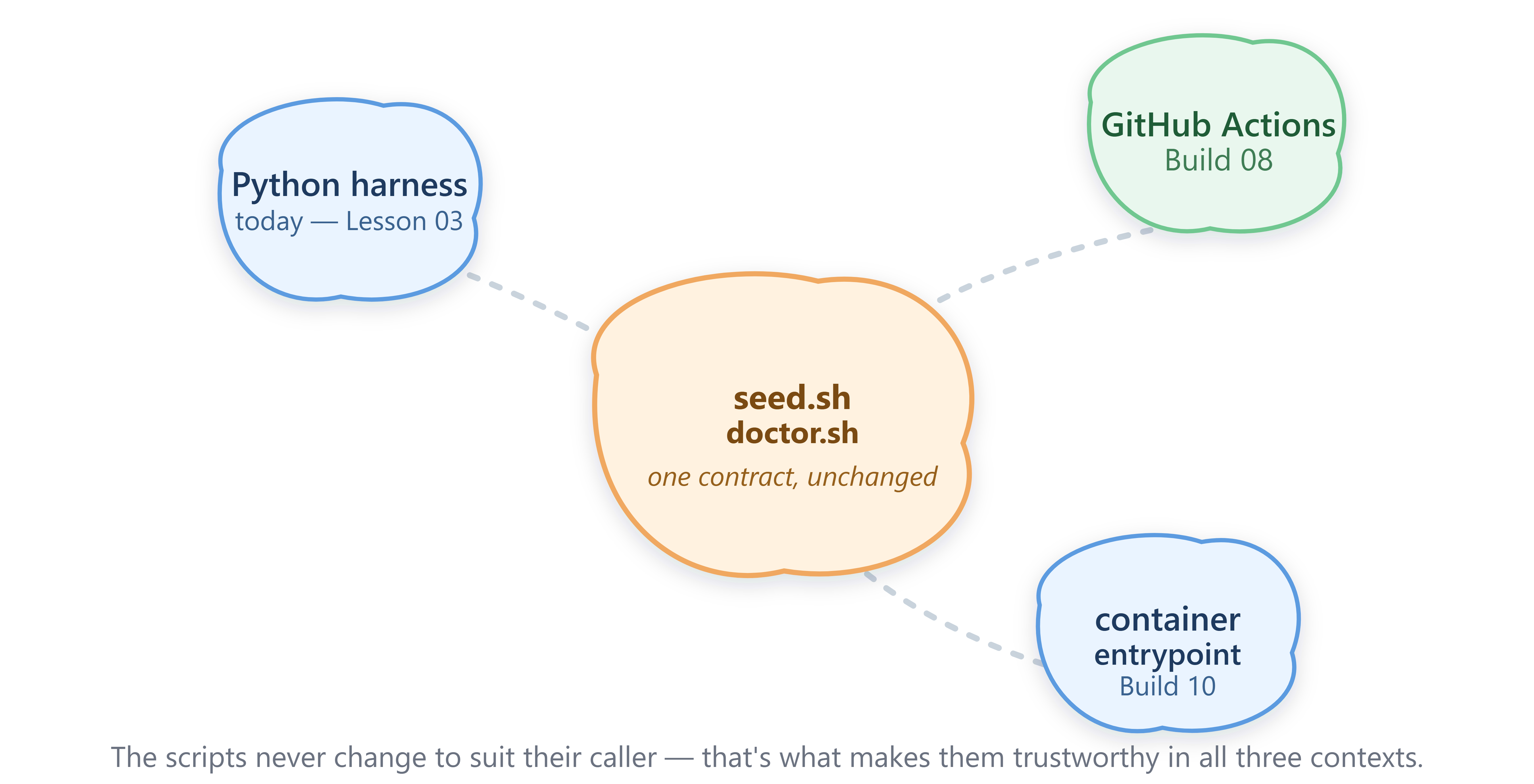
Every build from here forward leans on scripts like these without thinking about them — docker compose up in Lesson 07, a GitHub Actions job in Build 08, a container entrypoint in Build 10. If those scripts are fragile — if re-running one duplicates data, or fails silently instead of loudly — every layer built on top inherits that fragility as an intermittent bug nobody can reproduce. A script you can trust without re-reading its source every time is worth more than one that’s merely clever.
Core Concepts
A script’s real API is its exit code, not its output. Whoever calls seed.sh doesn’t parse its printed text to know if it worked — they check whether it exited 0 or something else. This is the same principle as an HTTP status code: the body is for humans, the status is for machines. set -euo pipefail at the top of every script in this lesson exists for exactly this reason — it makes the script exit non-zero the instant something genuinely goes wrong, instead of limping forward and reporting success on a half-finished job.
Idempotency is what makes a script safe to automate. Think of a light switch, not a button that rings a doorbell once — flipping it to “on” when it’s already on doesn’t ring anything twice. seed.sh checks whether each document already exists before writing it, so running it accidentally twice in a CI job is a no-op, not a bug report. Scripts that aren’t idempotent are the ones you’re afraid to re-run — and a script you’re afraid to re-run is one that quietly stops getting run at all.
Required checks and optional checks are not the same failure. doctor.sh distinguishes a missing Python version (a real FAIL, non-zero exit) from a missing Docker install (a WARN — you don’t need it until Lesson 07). Collapsing every problem into one severity level is how teams end up ignoring their own tooling: if “warning, nothing’s wrong yet” and “stop, this is broken” look identical, people stop trusting either one.
A calling process should never assume — it should check. lesson_code.py doesn’t just run seed.sh and move on; it captures the exit code and only proceeds if that code is zero. This looks like extra ceremony on a two-line demo script. It’s the exact discipline that keeps a CI pipeline from silently deploying a broken build because a seeding step failed quietly three steps earlier in the job.
In production, this contract — small scripts, clear exit codes, idempotent by default — is what lets an infrastructure team automate deployments they didn’t personally write and don’t have to re-verify by hand every time. You’re establishing that contract today on two small scripts; Build 08’s CI pipeline and Build 10’s deployment automation are both going to lean on it without you having to relearn it.
Context in AI & Distributed Systems
Agent-based systems end up running enormous numbers of small subprocess-style calls — tools, retries, background jobs — and almost none of it is debuggable if the underlying scripts and commands don’t follow a consistent success/failure contract. A tool call inside an agent’s reasoning loop (Build 07) is, structurally, exactly what lesson_code.py does to seed.sh today: invoke, capture, check the result, decide what to do next. Get comfortable with that pattern on boring bash scripts now, and Build 07’s tool-calling code will feel familiar instead of new.
The Diagram
Diagram 1 shows today’s concept in isolation: a caller invoking seed.sh, and the exit code deciding whether it continues or fails loudly.
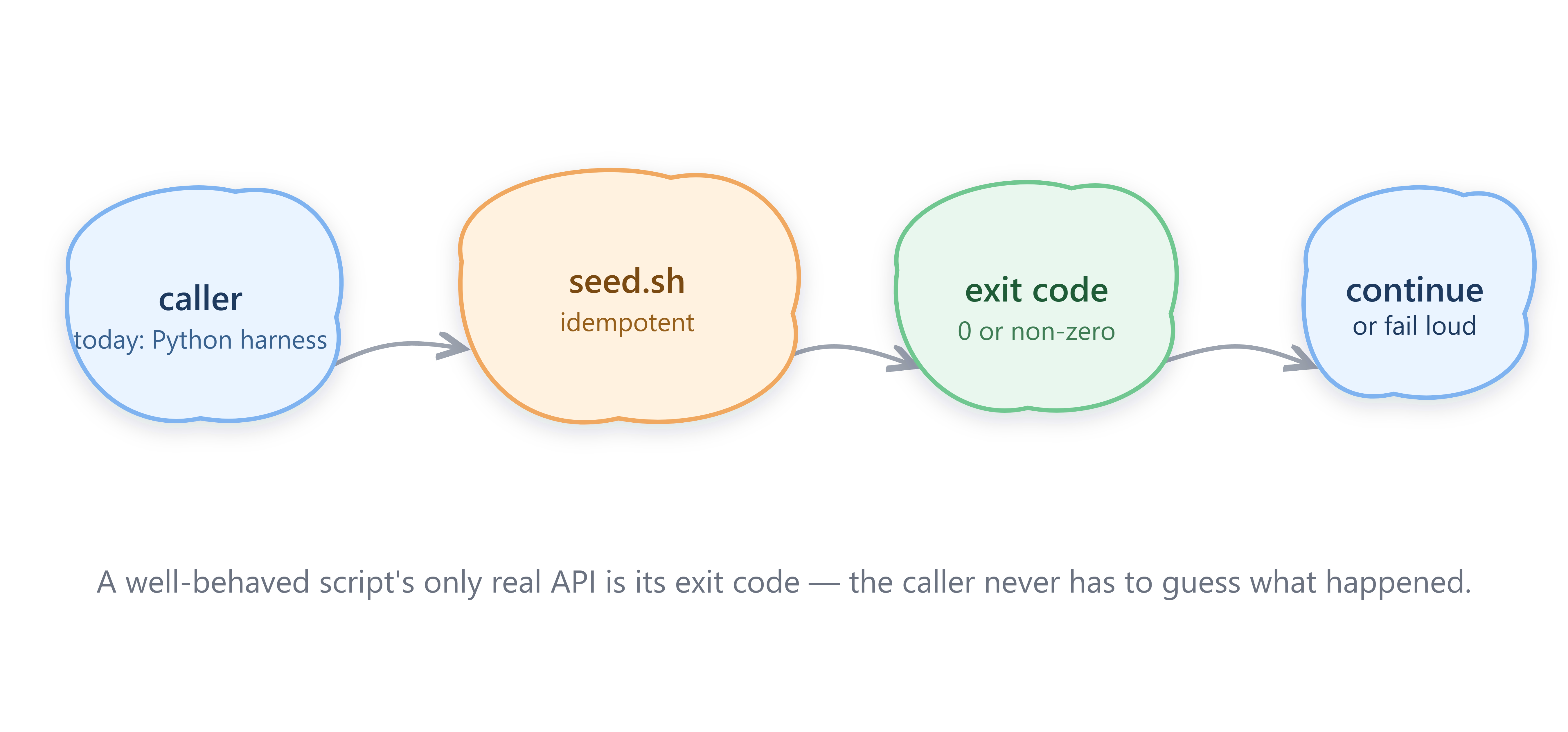
Diagram 2 zooms out: the same scripts get called by three different things across the series — a Python harness today, GitHub Actions in Build 08, a container entrypoint in Build 10 — and none of them require the scripts themselves to change.
The Implementation
1. Write seed.sh idempotent from the start, not idempotent-later — checking for an existing file before writing it costs three lines and saves a rewrite:
if [[ -f "$file" ]]; then
  skipped=$((skipped + 1))
  continue
fi
echo "$doc" > "$file"
2. Write doctor.sh with two severities, not one — a check function that fails the script, and a separate warn_only function that doesn’t:
check "python3 >= 3.11" "python3 -c 'import sys; assert sys.version_info >= (3, 11)'"
warn_only "docker installed" "command -v docker"
3. Call both scripts from Python the disciplined way — capture output, check the return code explicitly, never assume:
result = subprocess.run(["bash", "seed.sh", data_dir], capture_output=True, text=True)
if result.returncode != 0:
    raise RuntimeError(f"seed.sh failed with exit code {result.returncode}")
We’re not wiring seed.sh‘s output into DocumentService yet — that connection needs Postgres, which is Lesson 05. Today it just writes JSON files to disk.
Github Link:
https://github.com/sysdr/cortex/tree/main/build-01-lesson-03-code/build-01-lesson-03-code
The Code
This lesson’s package — seed.sh, doctor.sh, lesson_code.py, tests, setup script, README — is in build-01-lesson-03-code.zip, tagged build-01-lesson-03. Run ./doctor.sh first; if it passes, ./seed.sh and the test suite will too.
Working Code Demo:
Try It Yourself
Add a third severity to doctor.sh: an INFO check for whether jq is installed (useful later for inspecting JSON from the CLI, never required). It should print [INFO] and never affect the exit code, even when missing.
You’ll know it worked when you can run doctor.sh on a machine without jq and still get exit code 0 — that’s this lesson’s aha moment: a good health check has more than two states, because “you should know about this” and “this is broken” are genuinely different messages.
Next Time
Lesson 4 brings Cortex its first real endpoints: FastAPI — Cortex’s /documents and /users endpoints. The DocumentService from Lesson 02 finally gets an HTTP face, and seed.sh‘s sample data becomes the first thing you can curl out of a running Cortex.